
This Excel Training Packages is For COMPANY only.
Microsoft Excel is a powerful tool that can help you organize, calculate, analyze, revise, update, and present your data much easier and less time, than if you used traditional pen-and-paper methods or non-specialized software.
Because of that, many companies use this software to manage their data. They organize a lot of training to enhance their employer’s skill in Excel.
Are you in these situation?
1. You plan to organize Excel class for your company?
2. You want to have the class at your place?
3. You want to customize the training’s module according to your needs?
4. You look for experienced trainer and training fees within your budget?
5. You need pre and post test to assess your staff’s knowledge during the training?
If YES, you have one of the situation above, this is the right place for you.
INTRODUCING:-
Microsoft Excel training
Special packages for in-house & group
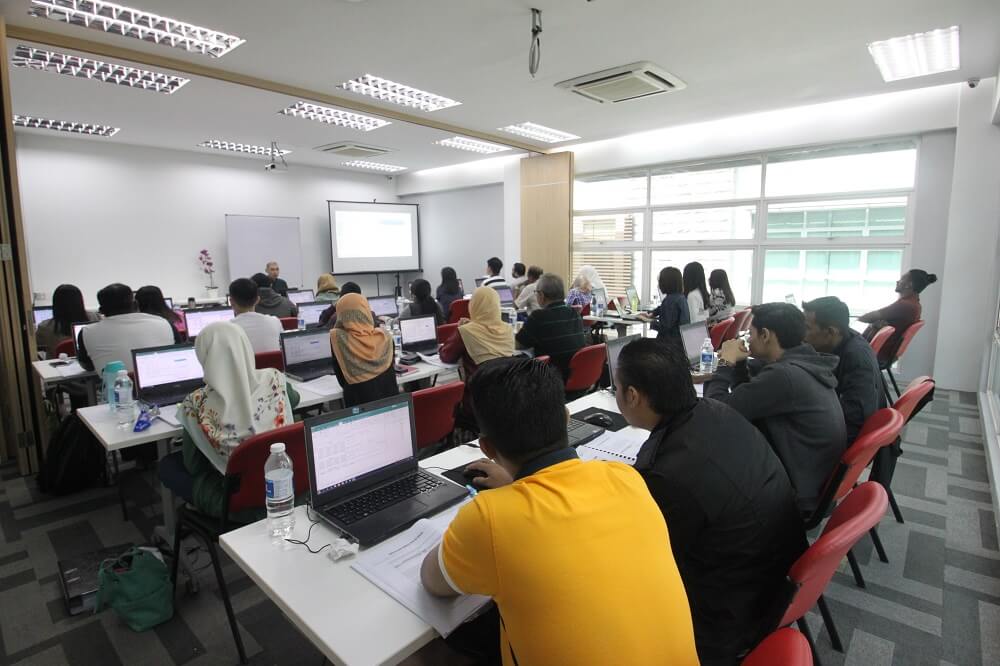
Course contents
MICROSOFT EXCEL – FOUNDATION
Duration: 1 Day
AUDIENCE
This course is designed for Clerks, Officers, Executives, Supervisors, Administrators, Managers of all levels; and personnel who already know and understand and want to further enhance their knowledge and practical uses of Microsoft Excel.
PREREQUISITES
REQUIRED PREREQUISITES:
Basic knowledge of Windows is essential with the follow pre-requisites:
- Able to maneuver with the mouse – Point, Click, Drag and Double Click
- Able to configure the desktop
- Able to use the Control Panel
- Able to move and re-size Application Windows
- Able to switch between task applications
METHODOLOGY
This program will be conducted with interactive lectures, PowerPoint presentation, discussions and practical exercise
COURSE OBJECTIVES
- Give participant a systematic understanding of a spreadsheet ad its benefits.
- Equip participant with essential skills of effectively utilizing spreadsheet software in a day-to-day business environment.
Upon completion of this program, participants should be able to:
- Getting Started with Microsoft Excel 2019, Identify the Elements, and Interface of Excel.
- Performing Calculation, Basic Formula and Functions.
- Modify Worksheet & Formatting Worksheet.
- Printing and managing large workbook.
Module 1 – Getting Started with Microsoft Excel 2019
Topic A – Identify the Elements of the Excel Interface
- Microsoft Excel 2019
- What is Spreadsheet, Worksheet and Workbook
- What are Columns, Row, Cells, and Ranges
- The Excel Interface
- Navigation Options
Topic B – Creating a New Blank Workbook
- The Ribbon
- The Backstage View
- The Save and Save As Commands
Module 2 – Formatting a Worksheet
Topic A – Formatting Fonts
- Fonts
- The Font Group
- The Format Cells Dialog Box
- The Format Painter
- Live Preview and Formatting
- The Mini Toolbar
- The Clear Button
Topic B – Add orders and Colours to Cells
- Border Options
- Fill Options
- Sheet background
Topic C – Apply Number Formats
- Number Formats
- Dragging and Dropping Cells
- How to Cut, Copy and Paste cells
- How to Cut, Copy and Paste Multiple Cells
- Using the Clipboard
- Using Paste Special
- Number Formats in Excel
- Custom Number Format
Topic D – Align Cell Contents
- Alignment Options
- The Indent Commands
- The Wrap Text Command
- Orientation Options
- The Merge & Center Options
Topic E – Apply Cell Styles
- Cell Styles
- The Style Dialog Box
Module 3 – Modifying a Worksheet
Topic A – Manipulate Data
- The Undo and Redo Commands
- The Auto Fill Feature
- Auto Fill Options
- The Transpose Option
- Live Preview
Topic B – Insert, Manipulate and Delete Cells, Columns and Rows
- The Insert and Delete Options
- Column Width and Row Height Alternation Methods
- The Hide and Unhide Options
Topic C – Search for and Replace Data
- The Find Command
- The Replace Command
- The GO to Command
Topic D – Spell Check a Worksheet
- The Spelling Dialog Box
Module 4 – Performing Calculations
Topic A – Create Formulas in a Wroksheet
- Excel Formulas
- The Formula Bar
- Elements of an Excel Formula
- Common Mathematical Operators
- The Order of Operations
- Division Formula
Topic B – Insert Functions in a Worksheet
- Functions
- The Functions Library
- Common Functions in Excel (SUM, AVERAGE, COUNT, MIN & MAX)
Module 5 – Managing Large Workbooks
Topic A – Format Worksheet Tabs
- Renaming Worksheet Tabs
- Changing Tab Colour
Topic B – Manage Worksheet
- Repositioning Worksheet
- Inserting or Deleting Worksheets
- Hiding and Unhiding Worksheets
- Worksheet References in Formulas
Topic C – Manage the View of Worksheets and Workbooks
- Split Command
- Freeze Panes Options
- Arrange All Command
- Arrange Windows Dialog Box
- View Side by Side Command
- Switch Windows Command
- New Wndow Command
Module 6 – Printing Workbook Contents
Topic A – Define the Basic Page Layout for a Workbook
- The Print Options in Backstage View
- The Page Setup Dialog Box
- The Print Preview Options
- Headers and Footers
- Header and Footer Settings
- Page Margins
- Margins Tab Options
- Page Orientation
Topic B – Refine the Page Layout and Apply Print Options
- Zoom Options
- Page Breaks
- Page Break Options
- The Print Area
- Print Titles
- Scaling Options
MICROSOFT EXCEL – INTERMEDIATE
Duration: 1 Day
AUDIENCE
This course is designed for Clerks, Officers, Executives, Supervisors, Administrators, Managers of all levels; and personnel who already know and understand and want to further enhance their knowledge and practical uses of Microsoft Excel.
PREREQUISITES
REQUIRED PREREQUISITES:
Basic knowledge of Microsoft Excel is essential with the follow pre-requisites:
- Have attended Microsoft Excel – Foundation Level; OR
- Able to switch between task applications
- Able to create a spreadsheet with simple formatting
- Able to create a basic chart
- Able to print a spreadsheet with headers and footers added
- Able to use Auto Filter command
- Able to apply Freeze Pane command
- Able to create basic formulas – Addiition, Subtraction, Multiplication and Division
- Able to use basic functions – AutoSum, Count, Max, Min and Average functions.
METHODOLOGY
This program will be conducted with interactive lectures, PowerPoint presentation, discussions and practical exercise
COURSE OBJECTIVES
Upon completion of this program, participants should be able to:
- Create simple to complex formulas and functions, like:
- IF Functions
- COUNTA & COUNTIFS Function
- AVERAGEA & AVERAGEIFS Function
- SUMIF & SUMIFS Function
- Filter data using Auto & Advanced Filters
- Clean Duplicate Records
- Visualizing Data as a Graphic
COURSE OUTLINES
Module 1 – Referencing Calculations
Topic A – Formula Reference
- Relative References
- Absolute References
- Mixed References
Module 2 – Working with Functions Topic A – Data Summary with Function
- COUNTA
- AVERAGEA
Topic B – Conditional Data Summary 1
- COUNTIF
- AVERAGEIF
- SUMIF
Topic C – Conditional Data Extraction
- IFERROR
- IF
Module 3 – Organizing Dynamic Data Range with Tables
Topic A – Create and Modify Tables
- Create Table
- Styles and Quick Styles Sets
- Removing Duplicate Values
Topic B – Sort and Filter Data
- Sorting Data
- Filtering Data
- Advanced Filtering
Topic C – Use SubTotal to Calculate Data
- Total Row with SubTotal Functions
Module 4 – Data Visualization Topic A – Conditional Formatting
- Highlight Cell Rules
- Data Bars
- Icon Sets
- Creating New Rules with Formula
Topic B – Create Charts
- Chart Types
- Chart Insertion Methods
- Resizing and Moving the Chart
- Adding Additional Data
- Switching Between Rows and Columns
MICROSOFT EXCEL – ADVANCED
Duration: 1 Day
AUDIENCE
This course is designed for Clerks, Officers, Executives, Supervisors, Administrators, Managers of all levels; and personnel who already know and understand and want to further enhance their knowledge and practical uses of Microsoft Excel.
PREREQUISITES
REQUIRED PREREQUISITES:
Basic knowledge of Microsoft Excel is essential with the follow pre-requisites:
- Have attended Microsoft Excel – Foundation & Intermediate Level; OR
- Able to switch between task applications
- Able to create simple to complex formulas and functions.
- Able to validate data in Worksheet
- Able to apply Filter data using Auto and Advanced Filter
- Able to clean Duplicate Records
METHODOLOGY
This program will be conducted with interactive lectures, PowerPoint presentation, discussions and practical exercise
COURSE OBJECTIVES
Upon completion of this program, participants should be able to:
- Analyze data Using Pivot Tables
- Use VLOOKUP function to extract data
- Create SubTotal using the SubTotal Function
- Combining & Consolidating Data
- Summarizing & Analyzing with Pivot Table and Pivot Charts
COURSE OUTLINES
Module 1 – Organize Summary and Details on Your Data
Topic A – Outlining and Grouping Data
- Using Automatic Outlining
- Displaying and Collapsing Levels
- Grouping Data Manually
- Creating Subtotals
Module 2 – Retrieve, Compare or Compiling Data with Functions
Topic A – Working with Array Formulas
- What are Array Formulas?
- Using Functions within Array Formulas
Topic B – Using the LOOKUP Functions
- Using VLOOKUP to Find Data
- Find Exact Match with VLOOKUP
- Find Closest Match with VLOOKUP
- Find with HLOOKUP
Topic C – Linking, Consolidating and Combining Data
- Linking Workbooks
- Consolidating Workbooks
- Combining Worksheets
Module 3 – Summarizing and Analyzing Data with PivotTable, Slicer and PivotCharts
Topic A – Create a PivotTable
- Create PivotTable Dialog Box
- PivotTable Fields Pane
- Summarize Data in a PivotTable
- Show Values as Functionality of a PivotTable
- Personalize the default PivotTable layout
Topic B – Filter Data by Using Slicer
- Insert Slicers Dialog Box
Topic C – Analyzing Data with PivotChart
- Creating PivotChart
- Editing a PivotChart
Module 4 – Prevent User Changes with Protection
Topic A – Protecting Worksheet and Workbook
- Protecting the Current Sheet
- Protecting an Entire Workbook
- File Protection
Some of the benefits you'll get
1. Teach by experienced trainers.
After attend this training you will be able to apply the skill immediately once you get back to the work. This training is easy to understand because it’s taught by experienced trainers who average more than 15 years experience teaching EXCEL in a huge range of industries.
2. A step-by-step guide.
Trainer will guide the participants how to use Excel correctly step by step, from foundational to advanced level. He will show you the example and case study so you can understand easily. The delivery also is easy to understand.
3. Tailor-made & customizable content.
Regardless of what industry, background or level you are coming from, the trainer can tailor the delivery & contents according to the participants attending the class.
4. Comprehensive & structured module.
Don’t worry if some of the participants are newbies, this comprehensive module is definitely suitable for them. The helpful trainer will lead them step by step through the module.
5. Pre & post test.
You can assess the participant’s knowledge before and after class with our pre and post test.
6. Training manual or ebook.
We will send you an Excel ebook for reference. This ebook is very comprehensive. It will show you how to use every feature in Excel from foundational to advanced.
7. Hands-on training
This is a hands-on training, In order for the participants to get a lot of practice, the trainer will give them a bunch of exercises to play around with so they are well versed in Excel at the end of the class.
8. Recorded video (for online class only)
This is an advantage of online training compared to face to face training. We will record the video for online training. You will get the video after the training for you revision and reference
9. 100% HRD Corp Claimable
Training is 100% HRD Corp claimable under SBL KHAS scheme
10. FREE 30 Days training support
In order to ensure you gain all the benefits from the training, we also provide FREE 30 day support beginning from the end of class. You can either contact us or email the trainer directly if you encounter any challenges in the related topic within that period.
The trainer

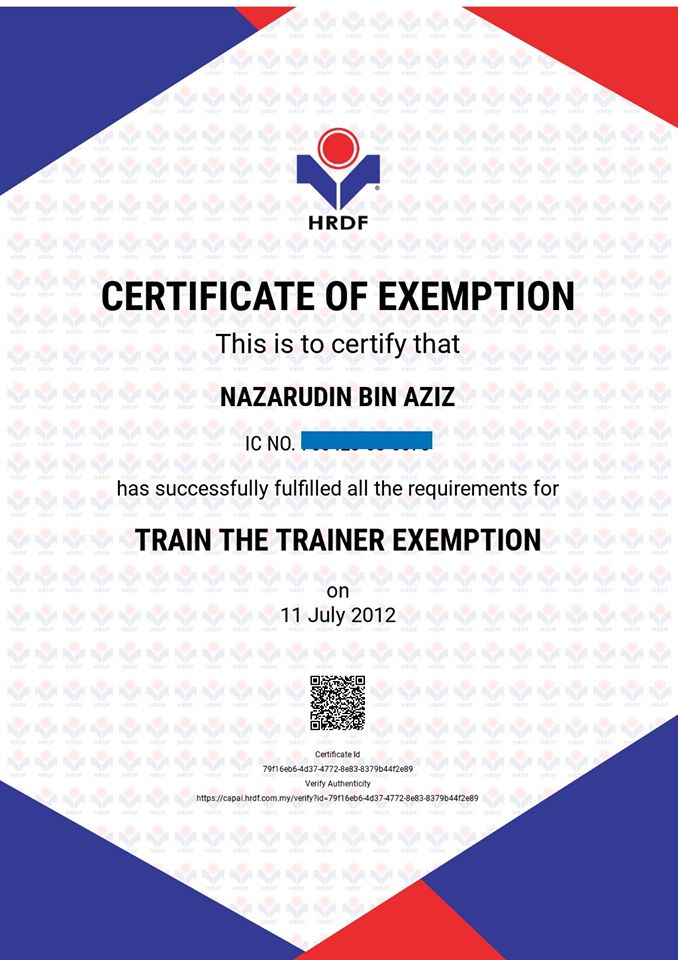
NAZARUDIN AZIZ
Nazarudin Aziz or known as Cikgu Naza to his students started as a corporate trainer in 1998.
He has more than 22 years experience teaching Excel in the private and government sectors. His students range from the tea lady to the director of the company.
A skillful and patient trainer, his delivery is interesting and easy to understand.
Some of the companies that have benefited from his expertise:-.
Cosway Sdn. Bhd., Coway Sdn. Bhd. , Daikin Sdn. Bhd. , Destini Bhd., DHL Sdn. Bhd. ,Dialog Berhad, DKSH Sdn. Bhd., Emhart Glass Sdn. Bhd. , Genting Berhad, Grand Pacific Hotel , Honda Malaysia Sdn. Bhd. , Hong Leong Assurance Berhad , Hong Leong , Carsem Sdn. Bhd. , HSBC Bank Bhd. , ISS Facility Services Sdn , Sime Darby Plantation, Sime Darby Property, Telekom Malaysia, United Engineers Malaysia , Universiti Multimedia , Universiti Kuala Lumpur , Universiti Tenaga Nasional , Yayasan Pelajaran Malaysia, And many more.
The organizer

Sk Biz Solution is a one stop center for Microsoft Office applications trainings such Microsoft Project, Excel, Word, PowerPoint, Outlook, Access, Visio and other IT training.
We organize a lot of training for both private & government sectors. We have more than 20 active trainers and most of them are certified trainers under Microsoft and HRD Corp.
Some of our clients:-
Gas Malaysia, TM, Perodua, Uniten, MAA Takaful, Microtel Sdn Bhd, FELCRA, Syarikat Prasarana Negara, IBFIM, LPPSA, JOBSTREET, Pantai Hospital, TNB, JCA Builders, Teras Teknologi, H.Rosen Engineering, Jabatan Perdana Menteri, Bank Negara Malaysia, Suruhanjaya Syarikat Malaysia, Kumpulan Semesta, LIM Legacy Development, Salcon Engineering, Binamust Sdn Bhd, Jabatan Akauntan, Builden Engineering, DNB Petroleum, Mach3 Engineering, Raya Airways Sdn Bhd, Kementerian Kesihatan Malaysia, Ingress Precision Sdn Bhd, Jalur Cahaya Sdn Bhd, Standard Builders Work Sdn Bhd, BWS Engineering Sdn Bhd, PA Interiors Sdn Bhd, Syarikat Pumpro Sdn Bhd, Avin Engineering, FFM Pulau Indah, and many more

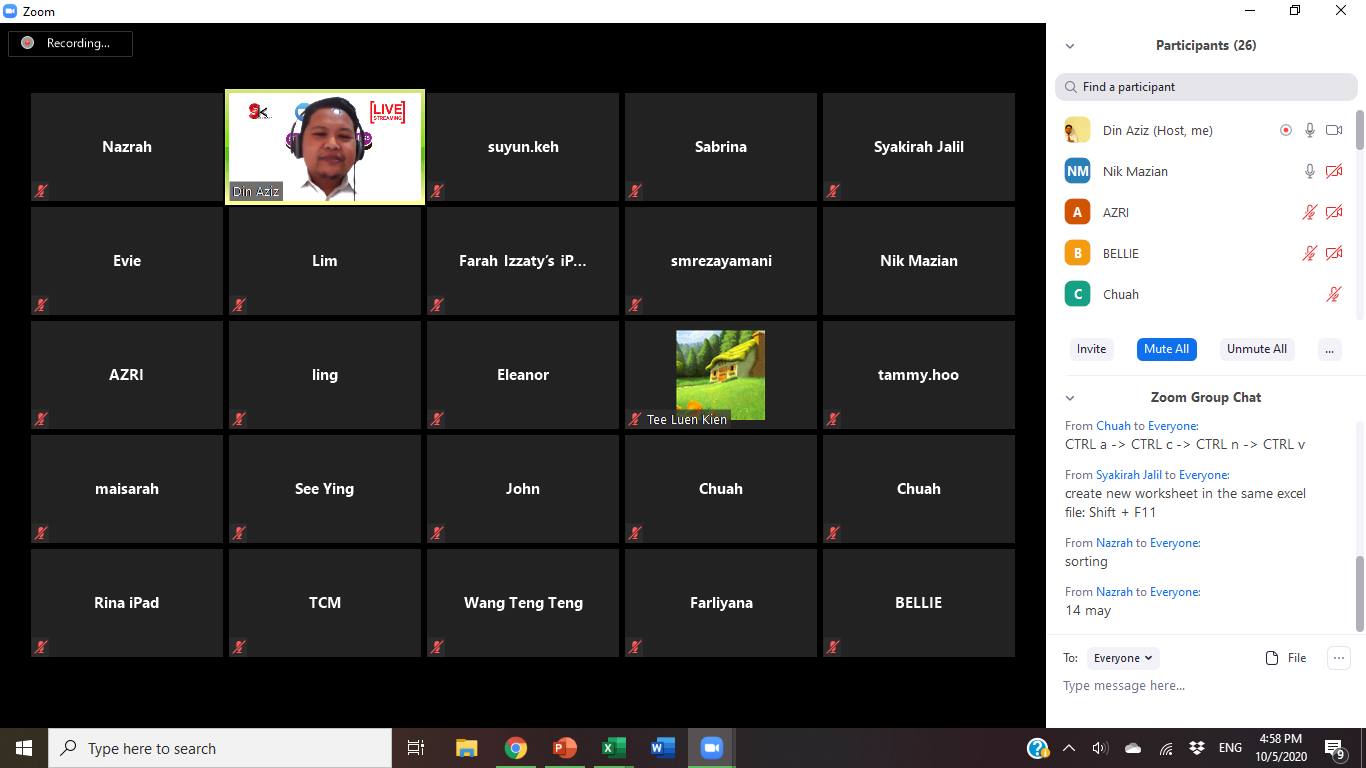
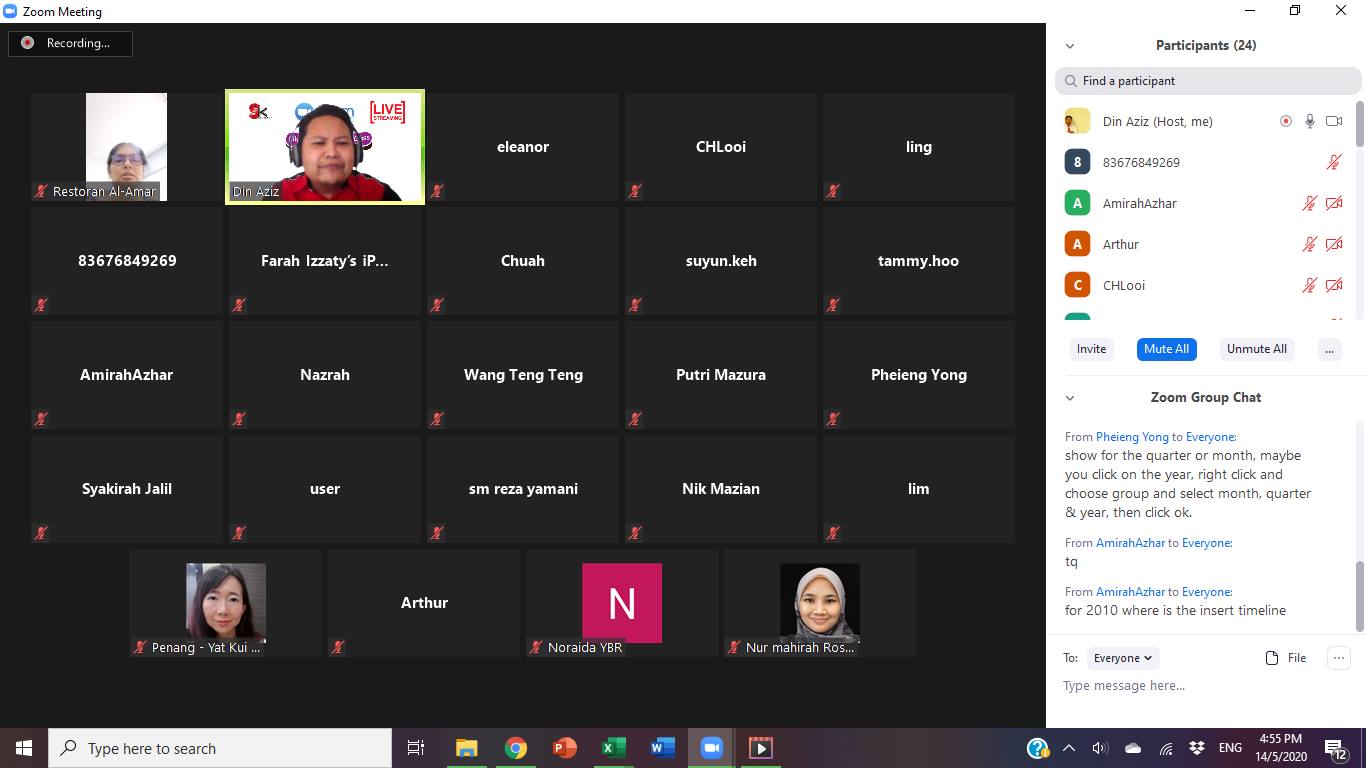
We do online & face to face class


List of courses - All Microsoft Office application
1. Microsoft Excel – Foundation, Intermediate & Advanced
2. Microsoft Word – Foundation, Intermediate & Advanced
3. Microsoft PowerPoint – Foundation, Intermediate & Advanced
4. Microsoft Project – Foundation, Intermediate & Advanced
5. Formulas & functions in Microsoft Excel
6. Maximizing Pivot table in Microsoft Excel
7. Excel dashboard.
8. PowerPoint Infographic
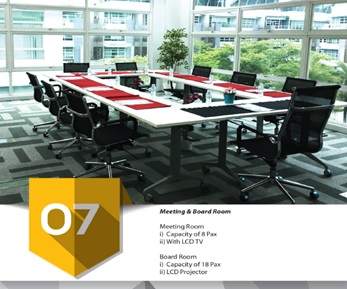
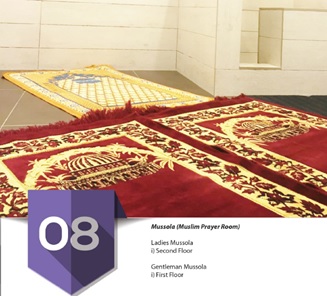
The training center


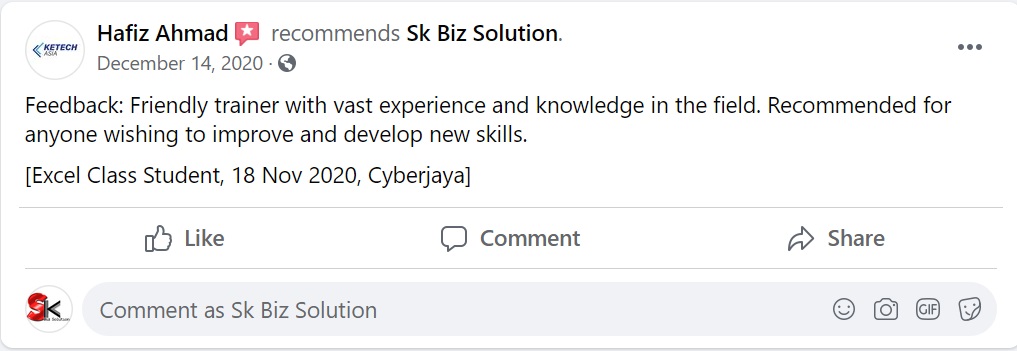
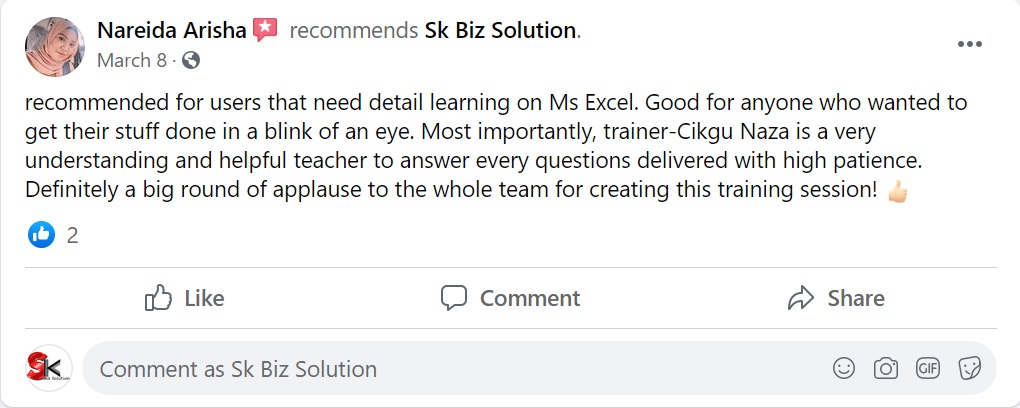
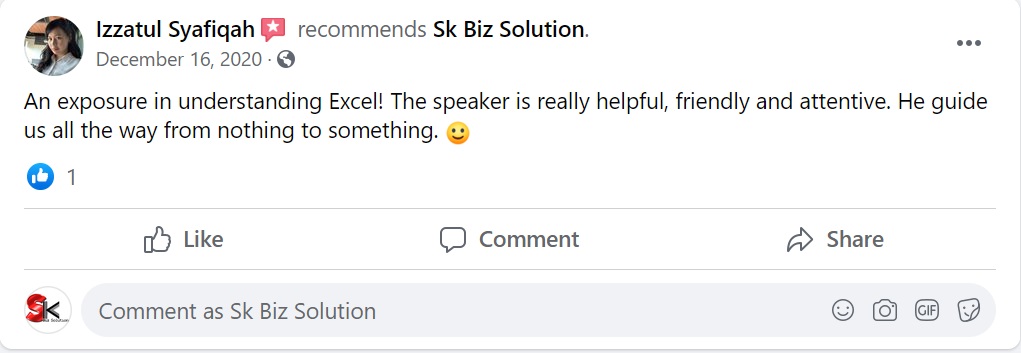
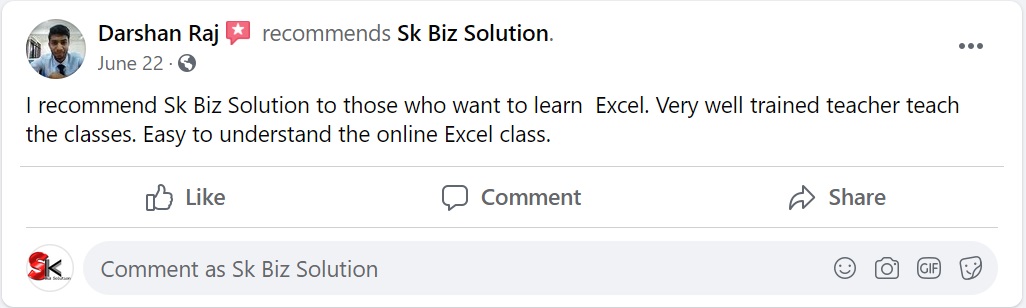
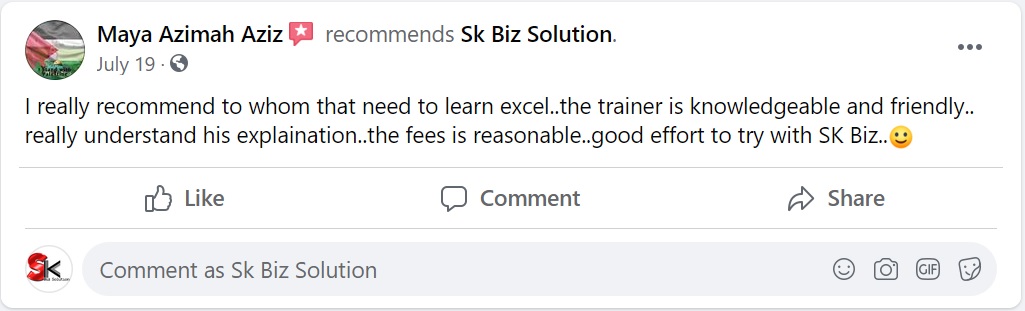
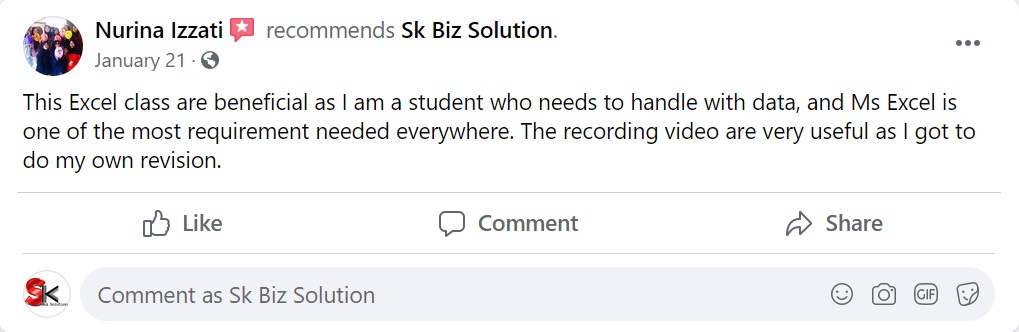
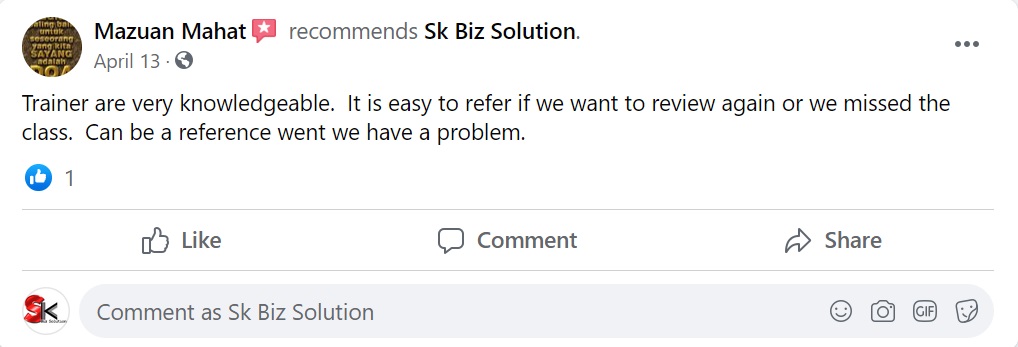
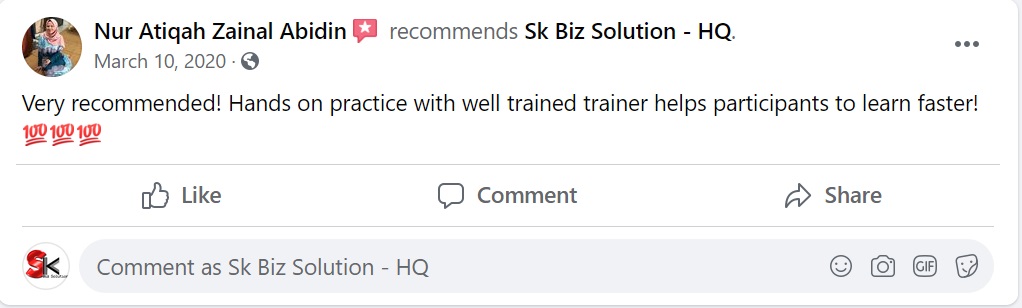
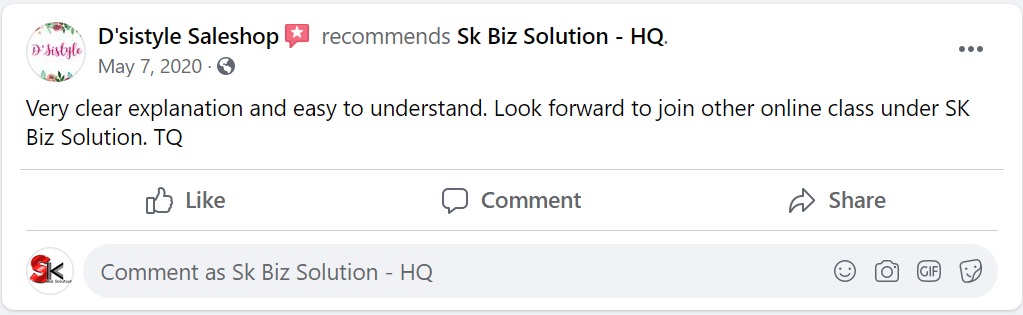
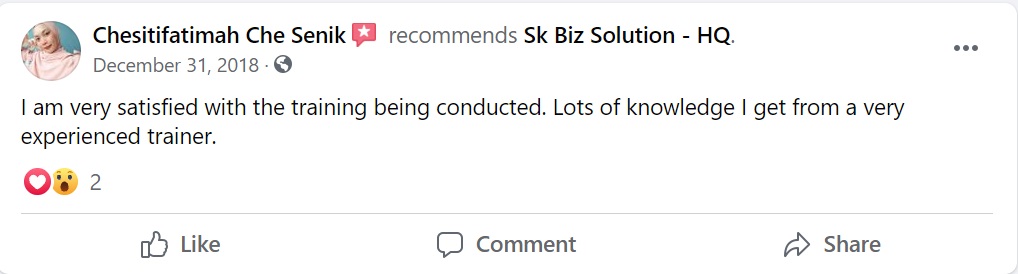
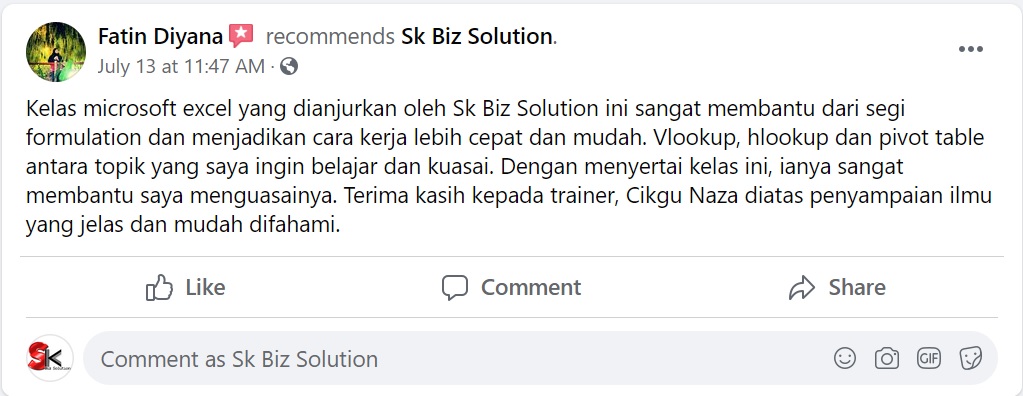
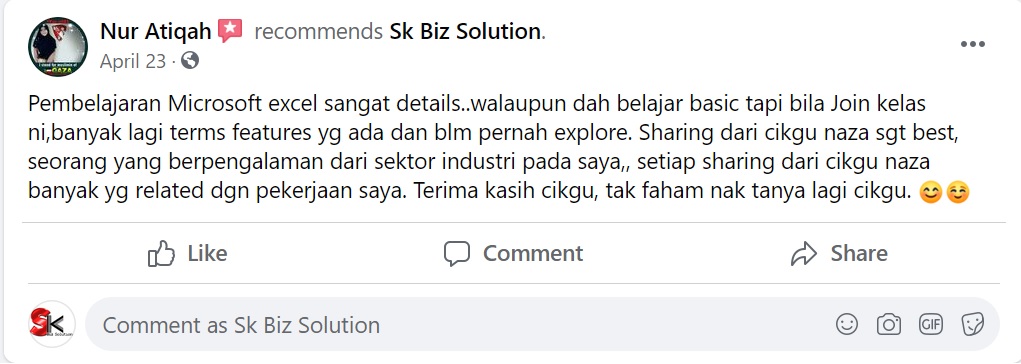
Some feedback from past attendees



Special training packages as below
1) One day training package.
Price before RM4,000, Now RM3,500 Per Session , (Fee Inclusive of trainer, training material & E-certificate of attendance)
- Duration – 1 day.
- Number of participants – Maximum 35 pax per class.
- Online or face-to-face.
- Venue – at client’s place, KL and Selangor.
- If the venue outside KL & Selangor – Additional fee for accommodation & transportation.
- HRD Corp claimable – SBL KHAS
- Level – foundation, Intermediate, Advanced .
- Training delivery – Malay, English or Mandarin
- We provide lap top and training room (upon request)
2) Two days training package.
Price before RM8,000, Now RM7,000 Per Session (Fee Inclusive of trainer, training material & E-certificate of attendance)
- Duration – 2 days.
- Number of participants – Maximum 35 pax per class.
- Online or face-to-face.
- Venue – at client’s place, KL and Selangor.
- If the venue outside KL & Selangor – Additional fee for accommodation & transportation.
- HRD Corp claimable – SBL KHAS
- Level – foundation, Intermediate, Advanced .
- Training delivery – Malay, English or Mandarin
- We provide lap top and training room (upon request)
3) Three days training package.
Price before RM10,000, Now RM9,000 Per Session (Fee Inclusive of trainer, training material & E-certificate of attendance)
- Duration – 3 days.
- Number of participants – Maximum 35 pax per class.
- Online or face-to-face.
- Venue – at client’s place, KL and Selangor.
- If the venue outside KL & Selangor – Additional fee for accommodation & transportation.
- HRD Corp claimable – SBL KHAS
- Level – foundation, Intermediate, Advanced .
- Training delivery – Malay, English or Mandarin
- We provide lap top and training room (upon request)

100% money back guarantee

You don’t have to worry about the quality of the training because this training comes with a 100% Money back guarantee.
At any time, if you find the training doesn’t meet your expectations in any way, you don’t need to pay a single cent.
If you aren’t satisfied we would not feel right keeping your money.
So, you have nothing to lose.
Contact Us:-
Sk Biz Solution Technology Sdn Bhd (1015977-P)
1 Stop Center – Microsoft Office Application Training.
*Use Excel, PowerPoint, Word, Project, Outlook, Access Like a PRO!
Address: 5G-6, Pusat Daerah Seksyen 6, Jalan Cenderawasih 6/7, 40000 Shah Alam, Selangor.
Contact No: +6017- 694 7031 (Call / Whats App)
Email: hi@skbizsolution.net
