



Data analytics is the process of collecting, cleaning, analyzing, and interpreting data to answer questions, find patterns, and support better decisions.
In simple terms: Data analytics helps turn raw data into useful insights.
It helps you:
1. Understand what happened
2. Explain why it happened
3. Predict what might happen next
4. Decide what action to take
Do you want to learn data analytic step by step from an experienced trainer?
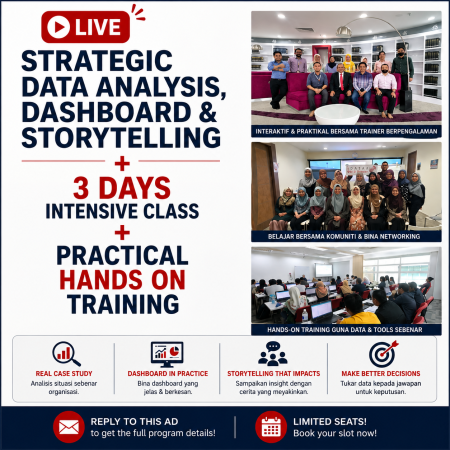
INTRODUCTION STRATEGIC DATA ANALYSIS, DASHBOARD & STORYTELLING –
(From raw data to strategic decision & boardroom storytelling)
Duration: 3 Days
AUDIENCE:
This course is suitable for:
METHODOLOGY:
This program will be conducted with interactive lectures, PowerPoint presentation, discussions and practical exercise.
COURSE OBJECTIVES:
By the end of this course, participants will be able to:
DAY 1 — EXECUTIVE DATA FOUNDATION & BASIC ANALYTICS
Module 1: Executive Data Literacy & Business Intelligence Fundamentals
Activity: Scenario-based discussion: Understanding management reports
Module 2: Scenario-Based Business Data Interpretation
Activity: Group analysis using realistic corporate dataset
Module 3: Basic Data Analysis Using Excel
Hands-on: Building basic performance analysis models
Module 4: Executive Snapshot Dashboard Design
Hands-on: Build monthly executive dashboard
DAY 2 — DIAGNOSTIC ANALYTICS & STRATEGIC DASHBOARD
Module 5: Diagnostic & Root Cause Analytics
Module 6: Scenario-Based Business Performance Decline Analysis
Hands-on: Crisis scenario data analysis
Module 7: Intermediate Excel Analytics & Dashboard Development
Hands-on: Build strategic performance dashboard
Module 8: Executive Performance Dashboard Framework
DAY 3 — STRATEGIC FORECASTING & BOARDROOM STORYTELLING
Module 9: Predictive & Scenario Analytics
Module 10: Strategic Decision Scenario Case Study
Hands-on: Build strategic decision model
Module 11: Advanced Executive Dashboard – Strategic Cockpit
Module 12: Boardroom Data Storytelling Using PowerPoint
Hands-on: Build executive board presentation deck
RIDZUAN RASHID
Experienced in IT since 1986 and started to be an in-house Microsoft Office trainer for Oil & Gas multi-national foreign company since 1997. Moved into IT Corporate training as a freelance trainer since 2007.
Educations & Certifications.
Diploma – Info Technology, Microsoft Certified Trainer, Microsoft Office Specialist Double Master, Word Expert, Excel Expert, Certified Shell IT Trainer, Certified HRDC trainer
Skills & Experiences
Microsoft – Word, Excel, PowerPoint, Outlook, Teams, OneNote, Forms. Power Query, Power Maps, Power Pivot, Power View, Power BI, Access, VBA, Project, SharePoint, Office 365.
Work Experience
Oil Palm Plantation – Accounts and Admin, Golf & Resort – Accounts and Admin, Oil & Gas – Materials Controller and Procurement, HVAC – Sales Manager, Confined Space / Tank Cleaning – Ops Manager
Past Consultation Clients
Shell Global Solution Asia Pac , Exxon Mobil Malaysia
Some of the companies that have benefited from his expertise:-.
Jabatan Perdana Menteri Malaysia | Jabatan Akauntan Negara | Jabatan Imigresen | Jabatan Alam Sekitar Kementerian Pertahanan Malaysia | Kementerian Kesihatan Malaysia | Kementerian Pelancongan Malaysia Tourism Malaysia | TH Plantation | MPOB | Bintulu Port Authority | GlaxoSmithKlein | DHL | HSBC INTAN – Bukit Kiara | Wilayah Utara (Intura) | Wilayah Selatan (Ikwas) | Sabah | Sarawak Keretapi Tanah Melayu | Tractors Malaysia | Volvo Assembly | UMW Corporation Shell Global Solution Asia Pac | Exxon Mobil Malaysia | Petronas | Malakoff Microsoft Malaysia | Intel | Toshiba Carsem Semiconductors | OnSemiconductors | Flextronics | Texas Instruments Celcom Axiata | Digi Communication | Motorola Solutions | Media Prima | Utusan Malaysia Toyota Assembly | Proton | Edaran Otomobil Nasional | MAS Academy | Air Asia Academy
Sk Biz Solution is a one stop center for Microsoft Office applications trainings such Microsoft Project, Excel, Word, PowerPoint, Outlook, Access, Visio and other IT training.
We organize a lot of training for both private & government sectors. We have more than 20 active trainers and most of them are certified trainers under Microsoft and HRD Corp.
Some of our clients:-
Gas Malaysia, TM, Perodua, Uniten, MAA Takaful, Microtel Sdn Bhd, FELCRA, Syarikat Prasarana Negara, IBFIM, LPPSA, JOBSTREET, Pantai Hospital, TNB, JCA Builders, Teras Teknologi, H.Rosen Engineering, Jabatan Perdana Menteri, Bank Negara Malaysia, Suruhanjaya Syarikat Malaysia, Kumpulan Semesta, LIM Legacy Development, Salcon Engineering, Binamust Sdn Bhd, Jabatan Akauntan, Builden Engineering, DNB Petroleum, Mach3 Engineering, Raya Airways Sdn Bhd, Kementerian Kesihatan Malaysia, Ingress Precision Sdn Bhd, Jalur Cahaya Sdn Bhd, Standard Builders Work Sdn Bhd, BWS Engineering Sdn Bhd, PA Interiors Sdn Bhd, Syarikat Pumpro Sdn Bhd, Avin Engineering, FFM Pulau Indah, and many more
You don’t have to worry about the quality of the training because this training comes with a 100% Money back guarantee.
At any time, if you find the training doesn’t meet your expectations in any way, you don’t need to pay a single cent.
If you aren’t satisfied we would not feel right keeping your money.
So, you have nothing to lose.
Contact Us:-
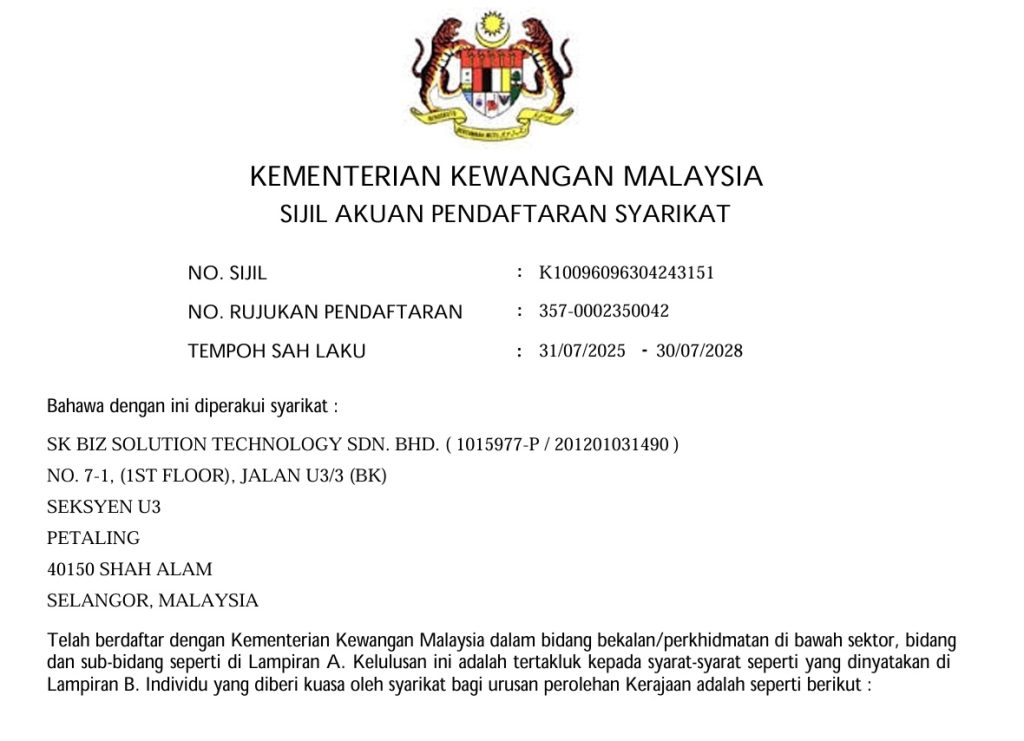
Sk Biz Solution Technology Sdn Bhd (1015977-P)
1 Stop Center – Microsoft Office Application Training.
*Use Excel, PowerPoint, Word, Project, Outlook, Access Like a PRO!
Address: 5G-6, Pusat Daerah Seksyen 6, Jalan Cenderawasih 6/7, 40000 Shah Alam, Selangor.
Contact No: +6017- 694 7031 (Call / Whats App)
Email: hi@skbizsolution.net